> ## Documentation Index
> Fetch the complete documentation index at: https://docs.ciaraai.com/llms.txt
> Use this file to discover all available pages before exploring further.
# List of Agents
> In the Agent Management section, you will see the agents table, which lists all the agents you have created.
 ## Table Contents
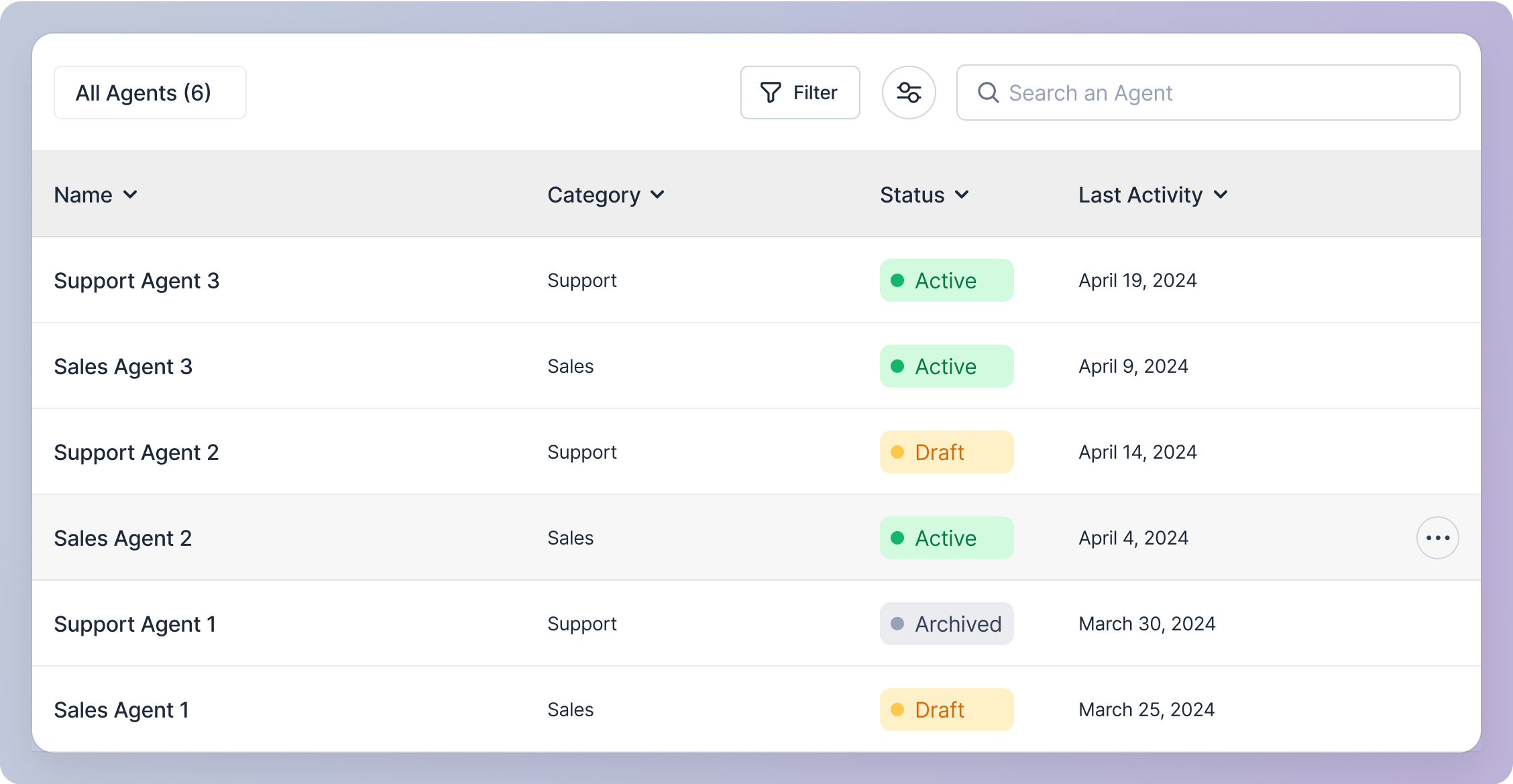
Each row represents an agent and contains the following data:
1. Name (Agent Identifier Name)
2. Agent Name (Agent Personality Name)
3. Category
4. Status [See Status](/Agent-Management/Update-Agent/Status)
5. Last Activity (Date it was created or last updated)
## Table Features
1. Total Number of Agents: Displayed in the table header.
2. Filtering: Use the filter button to narrow down the list of agents. [See Filter](/Agent-Management/Agents-Table/Filter)
3. Customization: Customize the table view using the customize icon button. [See Customize](/Agent-Management/Agents-Table/Customize)
4. Search: Find an agent by entering the Name (Agent Identifier Name) in the search bar. [See Search](/Agent-Management/Agents-Table/Search)
5. Sorting: Sort the table by clicking the chevron in the column headers:
* Name (Alphabetical order)
* Agent Name (Alphabetical order)
* Category (Alphabetical order)
* Status (Alphabetical order)
* Last Activity (Chronological order)
By default, the table shows the most recently created or updated agents first.
## Agent Actions
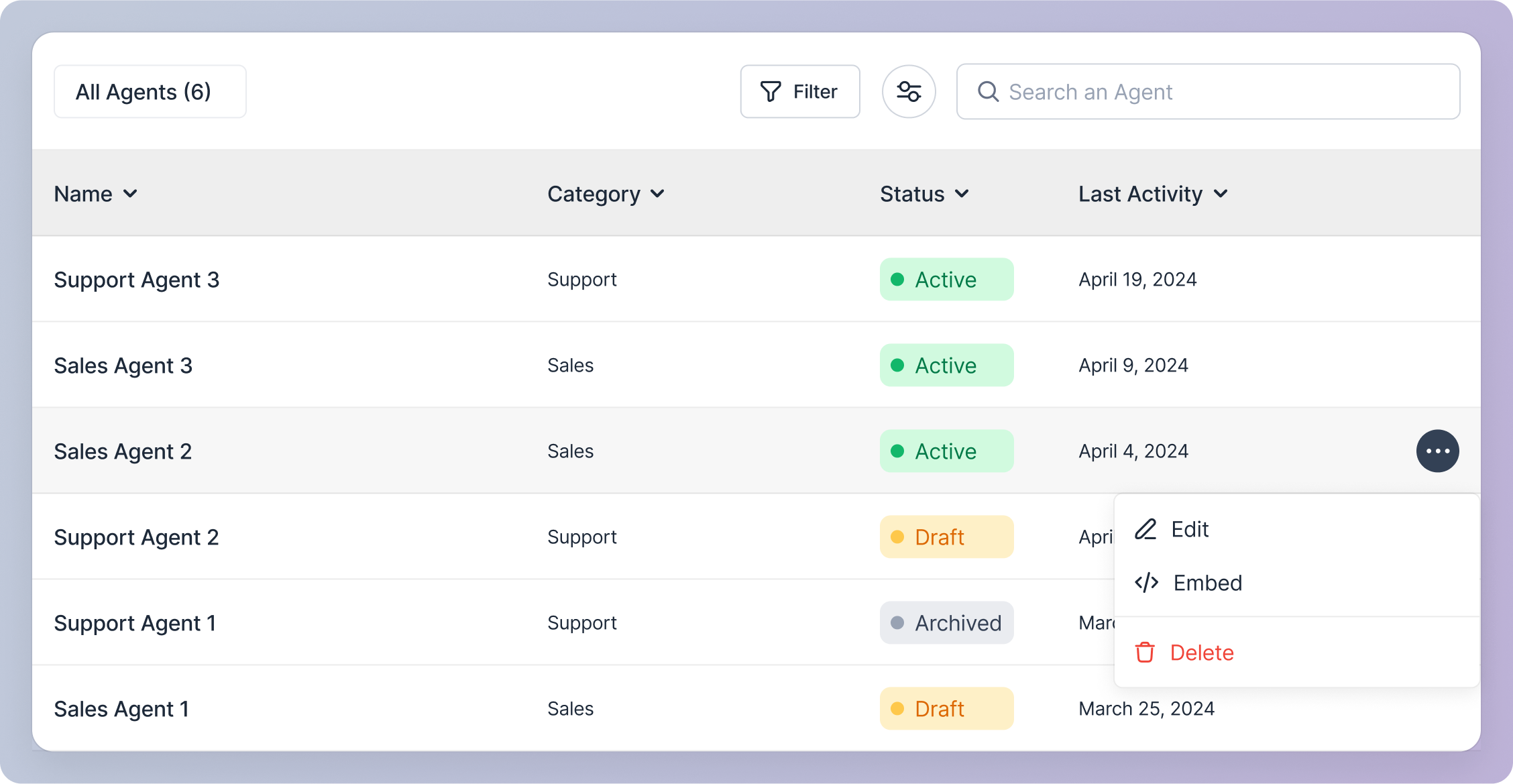
Hover over a row in the table and click the action icon button to access the following options for an agent:
1. Edit [See Edit](/Agent-Management/Update-Agent/Edit-Agent-Details)
2. Share [See Share](/Agent-Management/Share-Agent)
3. Delete [See Delete](/Agent-Management/Delete-Agent)
## Table Contents
Each row represents an agent and contains the following data:
1. Name (Agent Identifier Name)
2. Agent Name (Agent Personality Name)
3. Category
4. Status [See Status](/Agent-Management/Update-Agent/Status)
5. Last Activity (Date it was created or last updated)
## Table Features
1. Total Number of Agents: Displayed in the table header.
2. Filtering: Use the filter button to narrow down the list of agents. [See Filter](/Agent-Management/Agents-Table/Filter)
3. Customization: Customize the table view using the customize icon button. [See Customize](/Agent-Management/Agents-Table/Customize)
4. Search: Find an agent by entering the Name (Agent Identifier Name) in the search bar. [See Search](/Agent-Management/Agents-Table/Search)
5. Sorting: Sort the table by clicking the chevron in the column headers:
* Name (Alphabetical order)
* Agent Name (Alphabetical order)
* Category (Alphabetical order)
* Status (Alphabetical order)
* Last Activity (Chronological order)
By default, the table shows the most recently created or updated agents first.
## Agent Actions
Hover over a row in the table and click the action icon button to access the following options for an agent:
1. Edit [See Edit](/Agent-Management/Update-Agent/Edit-Agent-Details)
2. Share [See Share](/Agent-Management/Share-Agent)
3. Delete [See Delete](/Agent-Management/Delete-Agent)