> ## Documentation Index
> Fetch the complete documentation index at: https://docs.ciaraai.com/llms.txt
> Use this file to discover all available pages before exploring further.
# Delete Agent
Once you have the option to delete the agents you have created.
## There are two ways to delete an agent:
### 1. From the agent detail view:
* Navigate to the agent detail view.
* Click on the Delete icon button located in the header section.
You can find the update button in the header section of the agent details view.
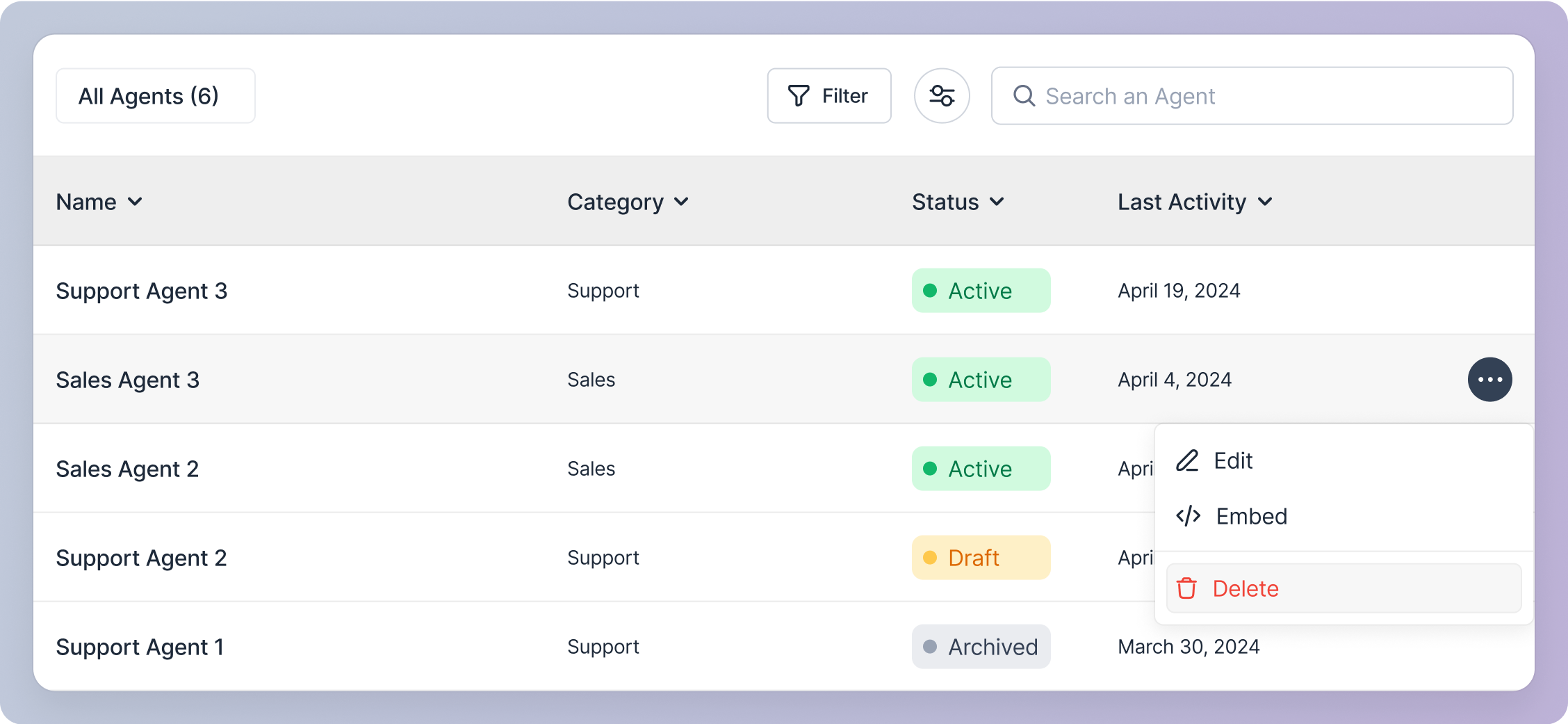
 ### 2. From the agents table:
* In the agents table, locate the agent you wish to delete.
* Click on the action icon button on the agent's row to open a pop-up menu.
* Select the "Delete" option from the pop-up menu.
### 2. From the agents table:
* In the agents table, locate the agent you wish to delete.
* Click on the action icon button on the agent's row to open a pop-up menu.
* Select the "Delete" option from the pop-up menu.
 ## Upon clicking delete icon button or option:
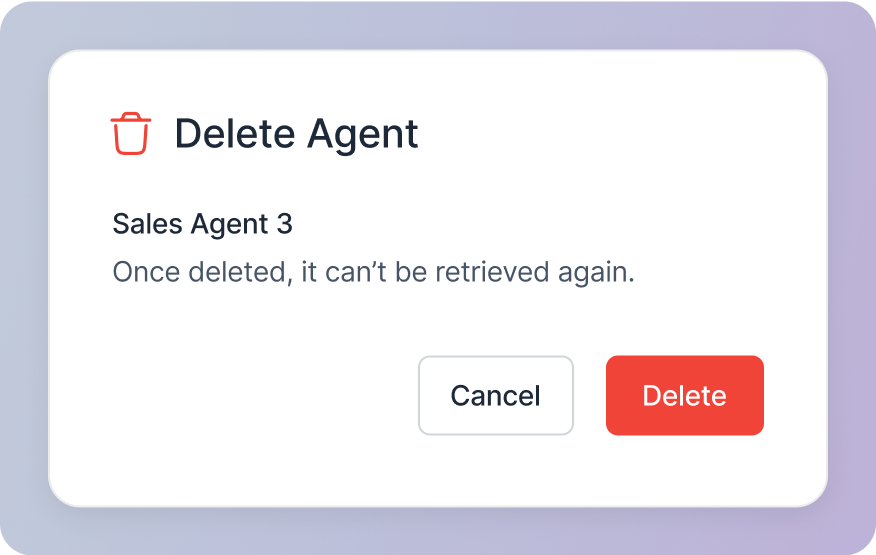
### Confirmation modal:
* You will see a confirmation modal asking you to confirm the deletion. This action is irreversible, and once deleted, the agent cannot be retrieved. So please ensure you want to delete the agent.
## Upon clicking delete icon button or option:
### Confirmation modal:
* You will see a confirmation modal asking you to confirm the deletion. This action is irreversible, and once deleted, the agent cannot be retrieved. So please ensure you want to delete the agent.
 ### Confirm Deletion:
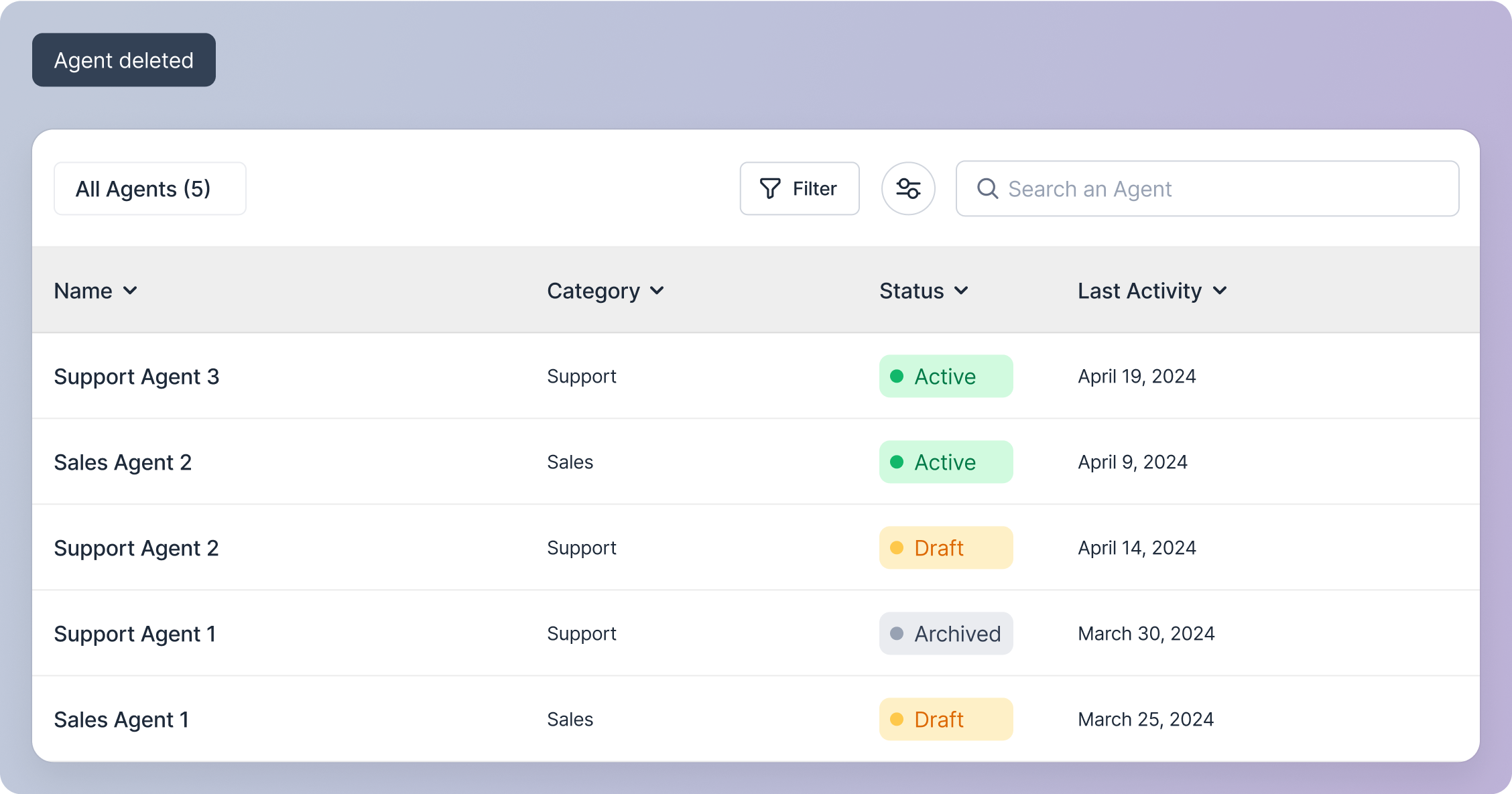
* If you click the "Delete" button on the modal, the agent will be deleted.
* You will be taken to the agent management screen.
* A snackbar notification will appear, confirming the agent's deletion.
### Confirm Deletion:
* If you click the "Delete" button on the modal, the agent will be deleted.
* You will be taken to the agent management screen.
* A snackbar notification will appear, confirming the agent's deletion.
 ### Cancel Deletion:
* If you click the "Cancel" button on the modal, the modal will disappear, and no action will be taken.
### Cancel Deletion:
* If you click the "Cancel" button on the modal, the modal will disappear, and no action will be taken.