

To edit an agent’s details:
Here’s how to customize your table:1
First Step
Go to the Agent Management screen.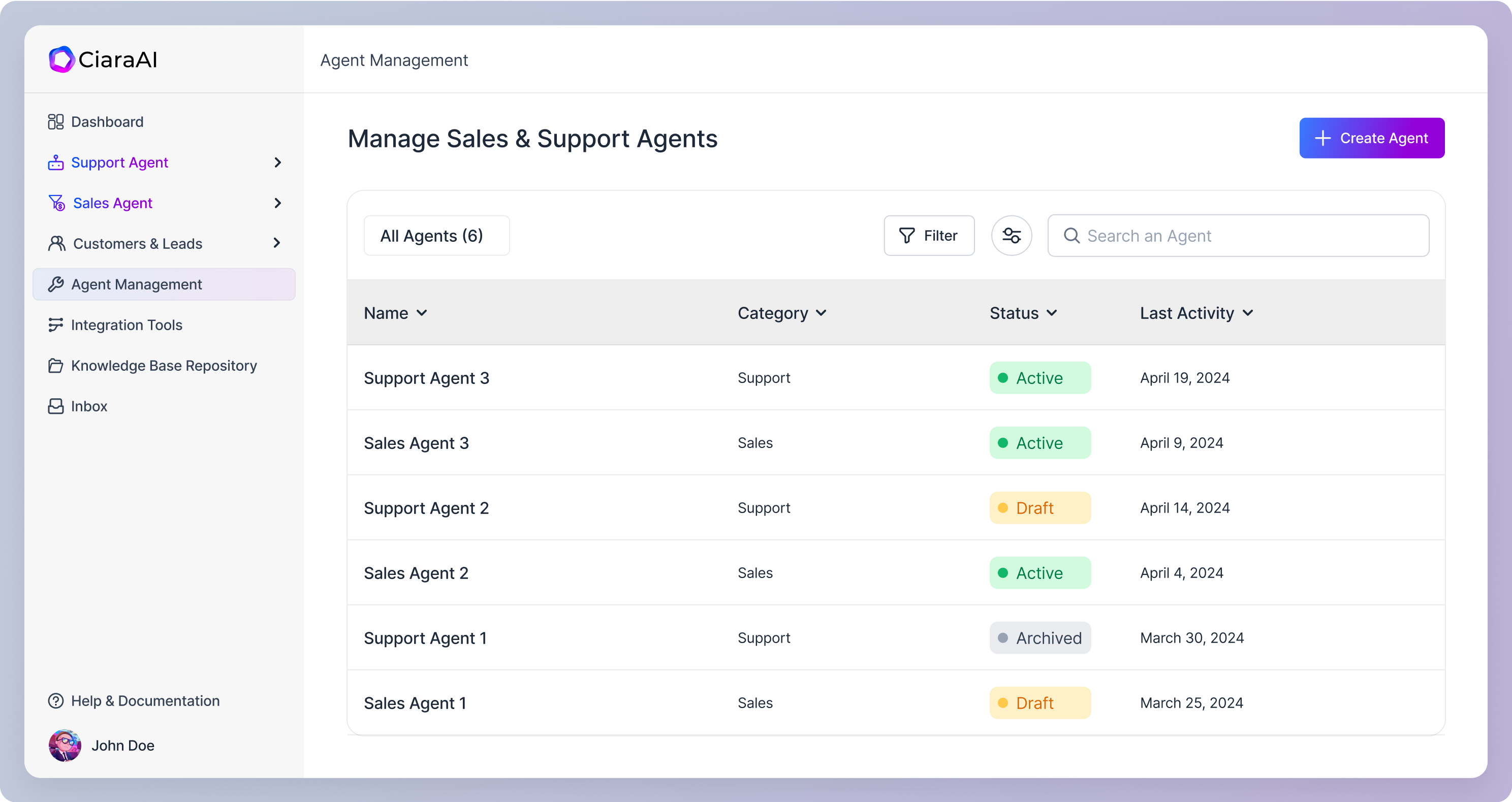
2
Second Step
Within the agents table, identify the specific agent you want to edit. Click on the corresponding row in the table. This will take you to the agent’s detail view.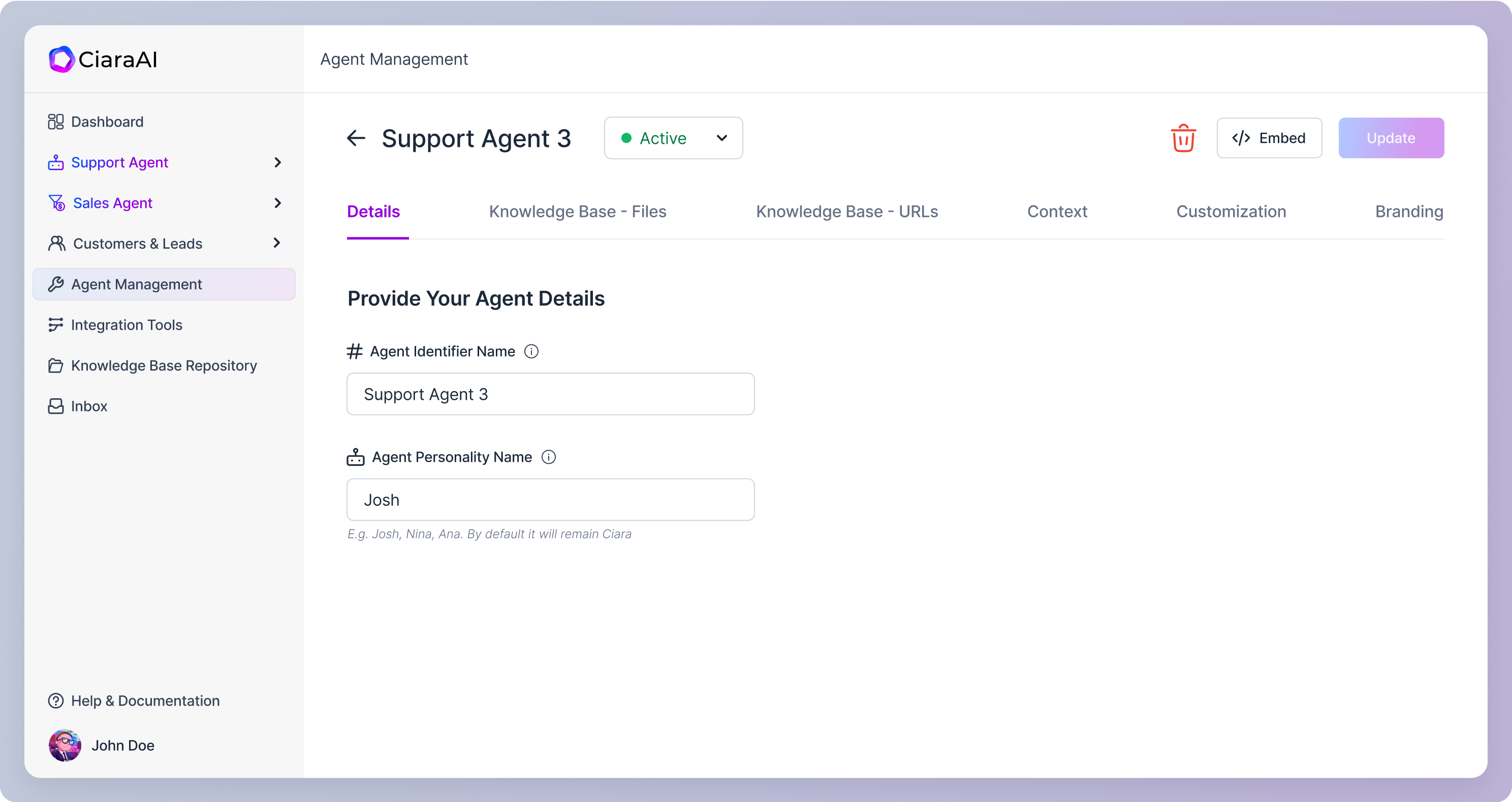
3
Third Step
Once in the agent detail view, you’ll have access to all the details you initially provided during agent creation. Edit any details as needed. You can easily navigate between different steps using the tab bar.
Here are the agent details that you can edit:
1. Support Agent
- Agent Details
- Knowledge Base
- Context
- Customization
- Branding
2. Sales Agent - Chat
- Business Category Template
- Agent Details
- Knowledge Base
- Context
- Customization
- Branding